


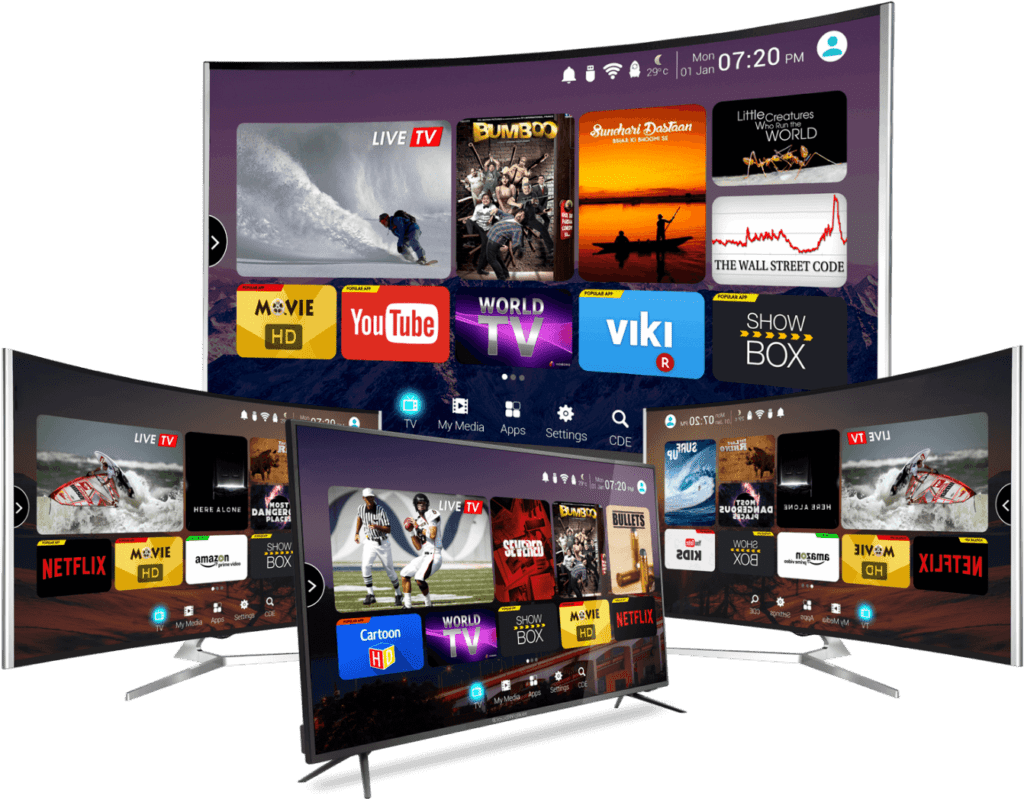
OTT means over-the-top delivery: television or video reaches a compatible player through an internet connection. IPTV refers to television delivered using internet protocols. This overview explains what to check when comparing TREX IPTV plans, devices and setup options. Availability and playback quality should be tested on the device and connection you intend to use.
How do you check what channels and on-demand content TREX IPTV includes?
The most reliable way to check what TREX IPTV carries is to use the channel guide during a free trial, testing the specific channels, languages and categories you actually watch rather than relying on a total channel count. The figure of 53,448 live channels covers international content from over 50 countries, including English, Arabic, German, French, Spanish, Italian, Dutch, Portuguese, Turkish and Nordic language programming. Live sport, news, entertainment, children’s channels and regional content are all represented. The on-demand library covers 215,125 movies and 46,616 series available to watch at any time, alongside 2,044 catch-up channels that carry recently broadcast content. If a specific channel, language or programme matters to you, ask TREX support to confirm its availability before choosing a plan — catalogue totals give a broad picture but do not guarantee that any individual channel you have in mind is currently included or plays reliably on your connection and device. Testing during a trial is always more accurate than a channel list.
Which player app should you use with TREX IPTV on your device?
The player app is separate from the TREX IPTV subscription: you install the player yourself and connect it using your subscription credentials. The right player depends on your device. For Amazon Fire TV Stick, TiviMate is widely recommended: it handles M3U and Xtream Codes, supports background playback, and includes a full EPG with catch-up. IPTV Smarters Pro is a cross-platform alternative for Android, iOS and Fire TV with parental controls. On Apple TV or iPhone, GSE Smart IPTV supports multiple connection formats and is frequently updated for iOS compatibility. For Android TV boxes, TiviMate and IPTV Smarters Pro both perform well. MAG set-top boxes connect directly using the Stalker portal without requiring a separate player app. Check device guides on the TREX IPTV website for the recommended player and verify any player charges before installing.
What should you check before choosing an IPTV player app?
Some premium player apps charge a one-off or annual fee that is separate from your IPTV subscription.
What streaming quality and programme guide features does TREX IPTV offer?
Resolution depends on the original stream, the player, the display and your network connection. A 4K-capable device does not turn every channel into 4K, and no resolution label guarantees uninterrupted playback. Test a selection of live and on-demand content during the times you normally watch. If playback buffers, follow the buffering troubleshooting guide.
An electronic programme guide helps you see scheduled broadcasts. Guide coverage and catch-up availability can vary by channel; check the features you need rather than assuming they apply to the whole catalogue. The EPG setup guide explains how to configure programme information in a compatible player.
Picture quality also depends on how your player handles different stream formats. Some players render lower-resolution content more cleanly than others. If a channel looks worse than expected, try a different stream or adjust your player settings before concluding the quality is fixed.
How many simultaneous connections does each TREX IPTV plan allow?
TREX IPTV plans are priced by the number of simultaneous streams rather than by device count. A 1-connection plan at per month allows one screen to stream at any given time, across any supported device. A 2-connection plan at allows two simultaneous streams, a 3-connection plan at allows three, and a 4-connection plan at allows four. You can install the app on any number of devices; the limit is on simultaneous streams, not devices. Starting a second stream on a 1-connection plan shows a maximum connections error.
How do you choose the right number of connections for your household?
The number of connections you need depends on how many people in your household watch different things at the same time — a 1-connection plan suits a single viewer; 2- or 3-connection plans suit families. Current plan details are on the TREX IPTV pricing page.
How do you test TREX IPTV before committing to a subscription?
Use the trial request page to check the current trial terms before you begin. Test the channels, programme guide and player on your own connection — not just one or two streams, but the content you would actually watch during a typical evening. Test sports, on-demand or catch-up content if those features matter to you, since availability is not uniform across the catalogue.
Note the device, player and connection type you use. If something does not work, send support the device model, player name and exact error message, without posting your password or full playlist URL. A specific error report gets a more useful response than a vague description. Check the troubleshooting guides before concluding the service is unsuitable. A short, methodical test during your normal viewing window gives you reliable evidence to base a decision on.
What do you check when evaluating TREX IPTV?
When you weigh up TREX IPTV features, it helps to begin with what you need, what you can test and what to confirm before paying. Compatibility is the first checkpoint. Confirm that your chosen device, whether a smart TV, streaming stick, set-top box or mobile app, supports the player the service uses, and check the required operating system version. Next, test playback on the exact connection you plan to use at home. A stable broadband line with sufficient download speed makes a noticeable difference to picture quality, buffering and channel switching. Review the plan details as well, including how many simultaneous screens are permitted, whether an electronic programme guide is included, and how on-demand libraries are updated. Finally, read the terms on renewals and refunds. A short trial period gives you a practical way to judge the TREX IPTV features before committing to a longer subscription.
How do you assess an IPTV provider before subscribing?
Before committing to any IPTV plan, it helps to approach TREX IPTV features with a clear checklist. Start by confirming that the provider is transparent about who operates the service, how billing works and what its refund terms are. Next, review device compatibility: check whether the app supports your smart TV, streaming stick, phone or computer, and confirm which operating system versions are required. Your internet connection matters just as much as the service itself. A stable line with consistent download speeds reduces buffering, so run a speed test at the times you plan to watch. Many people also find it useful to ask whether a free trial or test period is available, which allows playback quality, electronic programme guide navigation and customer support responsiveness to be assessed before paying for a longer term. Finally, consider the legal position: only use services that hold the necessary broadcast licences in your country, as this protects your data and avoids unexpected service interruptions.